
MCP vs Function Calling: AI Tool Integration Guide
• Jiahao • 6 min read
Learn how MCP provides scalable, secure AI tool integration.
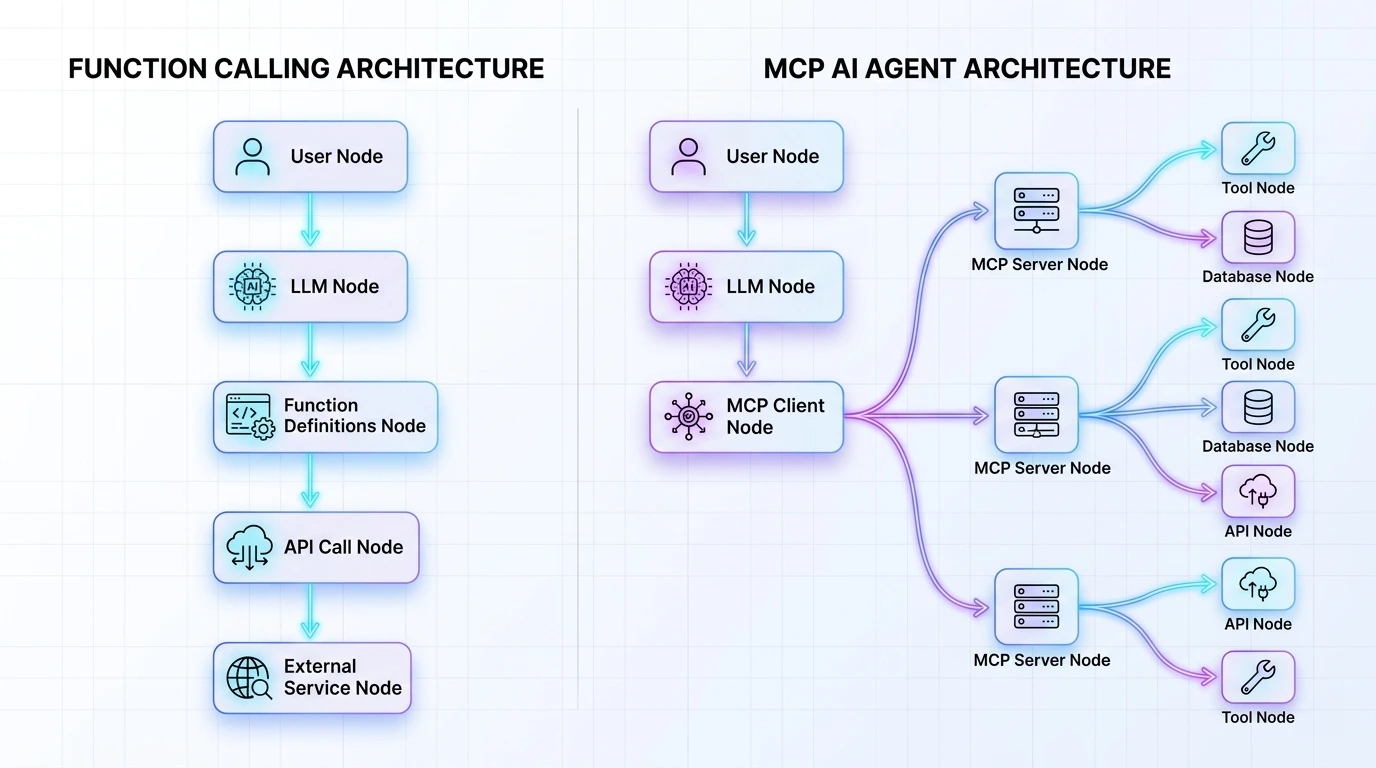
Learn how MCP provides scalable, secure AI tool integration.
MCP (Model Context Protocol) is the new open standard for AI tool integration—essentially “USB-C for AI agents.” It standardizes tool discovery, reduces integration maintenance by up to 60%, and works with OpenAI, Claude, and Llama.
Hook: 80% of AI agent development today isn’t spent on complex reasoning or prompt engineering—it’s spent on “plumbing.”
Problem: We have all been there. You want your LLM to check a Jira ticket or query a production database. You define a custom JSON schema, write a handler, manage the API keys, and hope the model doesn’t hallucinate the arguments. This “Function Calling” approach works for a single prototype, but as soon as you scale to an enterprise ecosystem of 50+ tools across multiple models (GPT-4o, Claude 3.5, Llama 3), you are trapped in a maintenance nightmare of brittle, point-to-point integrations.
Solution: Enter the Model Context Protocol (MCP). Introduced by Anthropic and rapidly evolving into an open-source standard, MCP isn’t just a new way to call functions; it’s the “USB-C for AI.” It shifts the paradigm from custom-coded connectors to a standardized, client-server architecture.
Promise: In this deep dive, we will break down the architectural differences between raw Function Calling and MCP, explain why the latter is the future of agentic workflows, and provide a roadmap to migrate your stack to reduce integration debt by up to 60%.
To understand where we are going, we must look at where we started. Function Calling (or “Tool Use”) was the first major breakthrough in making LLMs “useful.” It allowed a model to signal its intent to use an external tool by outputting a structured JSON object instead of just text.
In the traditional Function Calling world, if you have three different agents that all need access to your SQL database, you have to write and maintain the tool-handling logic three times. If the database schema changes, you fix it in three places.
MCP introduces a decoupling layer. The server owns the tool logic, the data schema, and the security constraints. The LLM simply “plugs in.” This turns a linear scaling problem into a constant one.
A common mistake is thinking MCP replaces the model’s ability to call functions. It doesn’t. Rather, MCP standardizes the delivery and discovery of those functions. Think of Function Calling as the “engine” and MCP as the “universal transmission” that connects the engine to any set of wheels.
Let’s look at the “code tax” difference. In standard function calling, you are responsible for the entire orchestration loop.
In a typical OpenAI or Anthropic tool-use setup, your integration logic is tightly coupled with your orchestration loop.
# The manual "Glue Code" approach
tools = [
    {
        "type": "function",
        "function": {
            "name": "get_customer_data",
            "description": "Get data for a specific customer ID",
            "parameters": {
                "type": "object",
                "properties": {"customer_id": {"type": "string"}}
            }
        }
    }
]

# The developer must manually handle the execution and the loop
response = client.chat.completions.create(model="gpt-4o", messages=msgs, tools=tools)
if response.choices[0].message.tool_calls:
    # Manual routing logic starts here...
    data = db.query(response.choices[0].message.tool_calls[0].function.arguments)
    # Send data back to the LLM...
With MCP, you build a standalone server. This server can be written in TypeScript or Python and hosted as a separate process or via SSE (Server-Sent Events).
Step 1: Create an MCP Server (Python) Using the MCP SDK, you define your tools once.
from mcp.server.fastmcp import FastMCP

# Create an MCP server
mcp = FastMCP("CustomerService")

@mcp.tool()
def get_customer_data(customer_id: str) -> str:
    """Fetch customer details from the production DB."""
    # The logic lives here, isolated from the LLM logic
    return f"Customer {customer_id}: Status Active, Tier Gold"

if __name__ == "__main__":
    mcp.run()
Step 2: The Client Automatically Discovers Tools The client (your agent) doesn’t need to know how get_customer_data works or even what its schema is until it connects.
# The client automatically discovers all tools, prompts, and resources
async with mcp_client_session(server_params) as session:
    await session.initialize()
    # No manual schema definitions required in the main loop!
    tools = await session.list_tools()
💡 Tip: Use FastMCP for rapid prototyping. It abstracts the complex JSON-RPC 2.0 handshake into simple Python decorators, allowing you to turn any existing internal library into an AI-ready tool in under 5 minutes.
⚠️ Warning: Do not hardcode credentials in your MCP server. Since MCP servers often run as subprocesses, use a secure vault or environment variables to ensure your API keys aren’t leaked in logs.
For technical product leads, the real value of MCP lies in features that go beyond simple “actions.”
Standard Function Calling is “active”—the model asks to do something. MCP adds “Resources,” which are “passive” pieces of data the model can read to gain context.
MCP servers can serve Prompts—standardized ways to interact with the tools they provide.
| Feature | Function Calling (Raw) | Model Context Protocol (MCP) |
|---|---|---|
| Portability | Low (Model-specific schemas) | High (Open Standard) |
| Discovery | Manual (Hardcoded in prompt) | Automatic (Dynamic discovery) |
| Data Types | Tools only | Tools, Resources, and Prompts |
| Security | Application-level | Process-level isolation |
| Maintenance | High (Brittle “Glue Code”) | Low (Modular, Server-side) |
| Multi-Model | Requires mapping logic | Native “Plug-and-Play” |
The transition from manual Function Calling to the Model Context Protocol represents the “industrial revolution” of AI agent development. We are moving away from bespoke, handcrafted integrations and toward a plug-and-play ecosystem.
Q1: Is MCP only for Anthropic models? No. While Anthropic pioneered the protocol, it is an open standard. Community-driven adapters already exist for OpenAI, LangChain, and local runners like Ollama.
Q2: How does MCP handle authentication? MCP supports various transport layers. For local processes, it uses standard input/output. For remote connections, it supports SSE with standard Web Auth (JWT, API Keys) to ensure only authorized clients can access your tools.
Q3: Can I run MCP servers locally? Absolutely. One of MCP’s strengths is the stdio transport, which allows your AI client to spin up a local server as a subprocess, providing the lowest possible latency and maximum privacy.
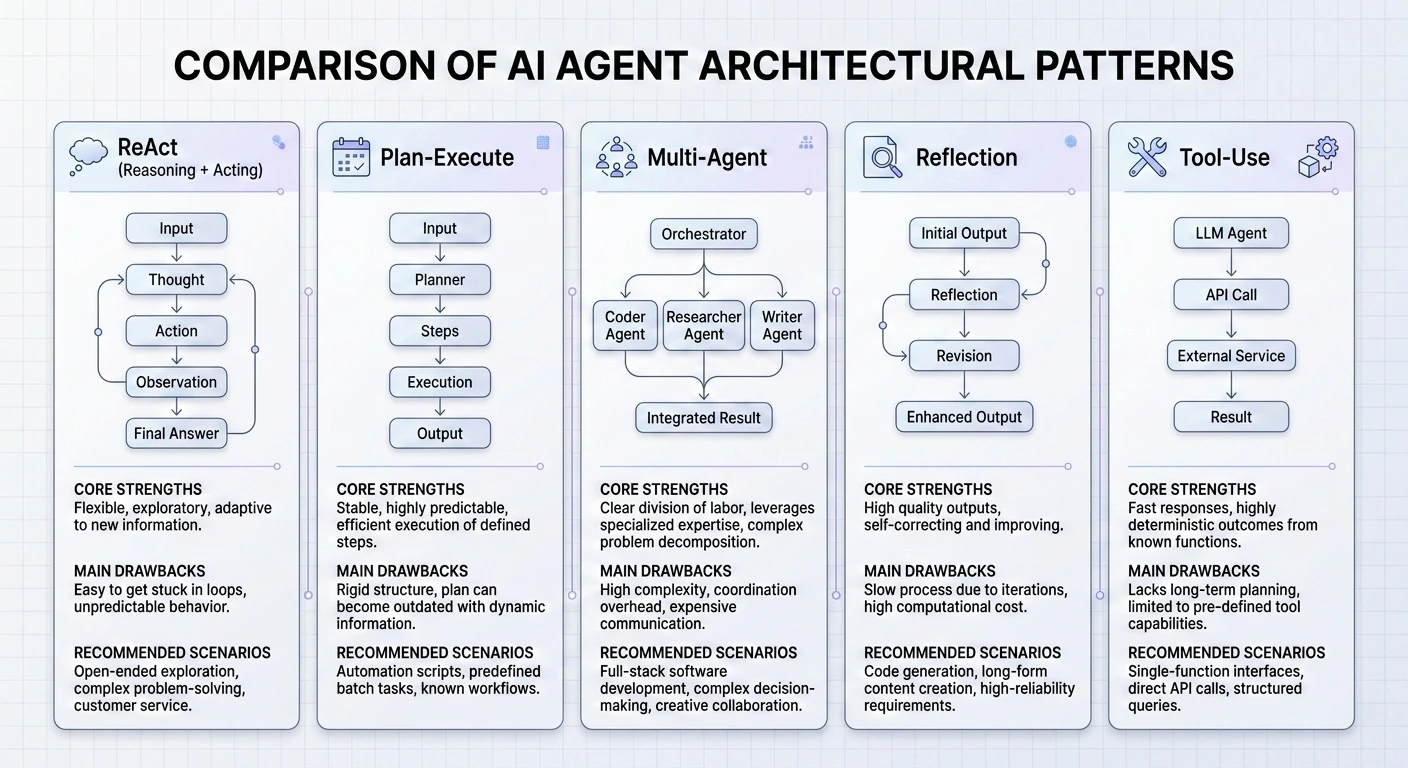
Master the 5 essential AI agent design patterns for 2026: ReAct, Plan-and-Execute, Multi-Agent, Reflection, and Tool Use.
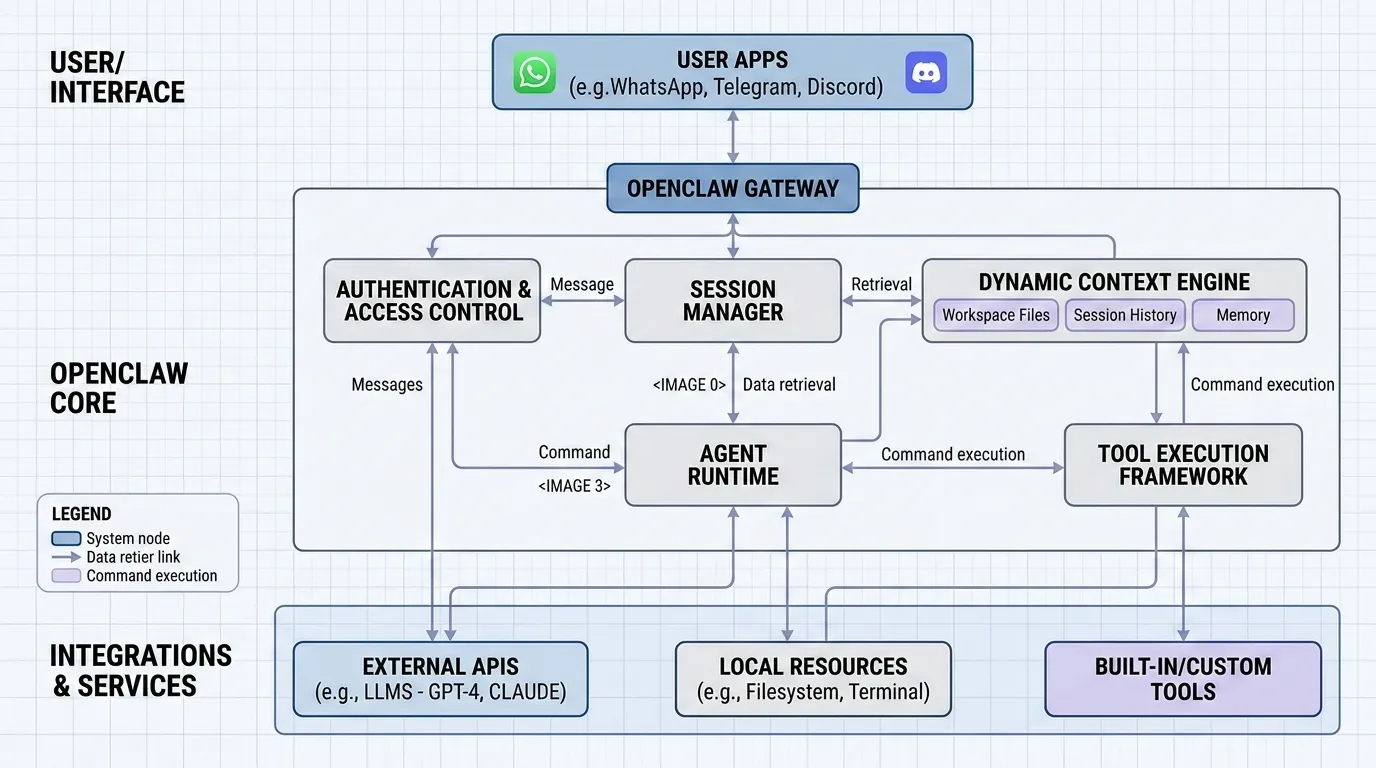
Explain in detail how openclaw work.
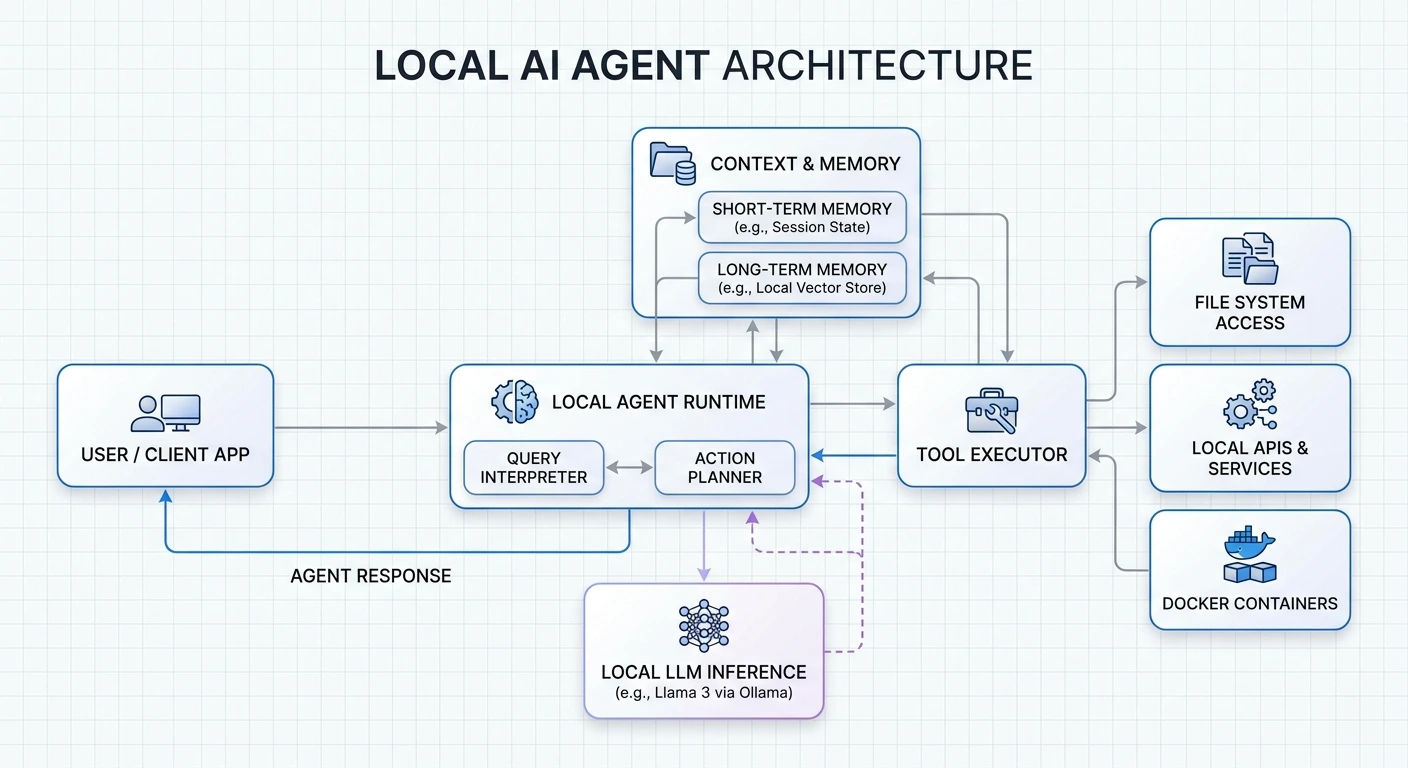
Learn how to build privacy-first AI agents that run entirely on your hardware.
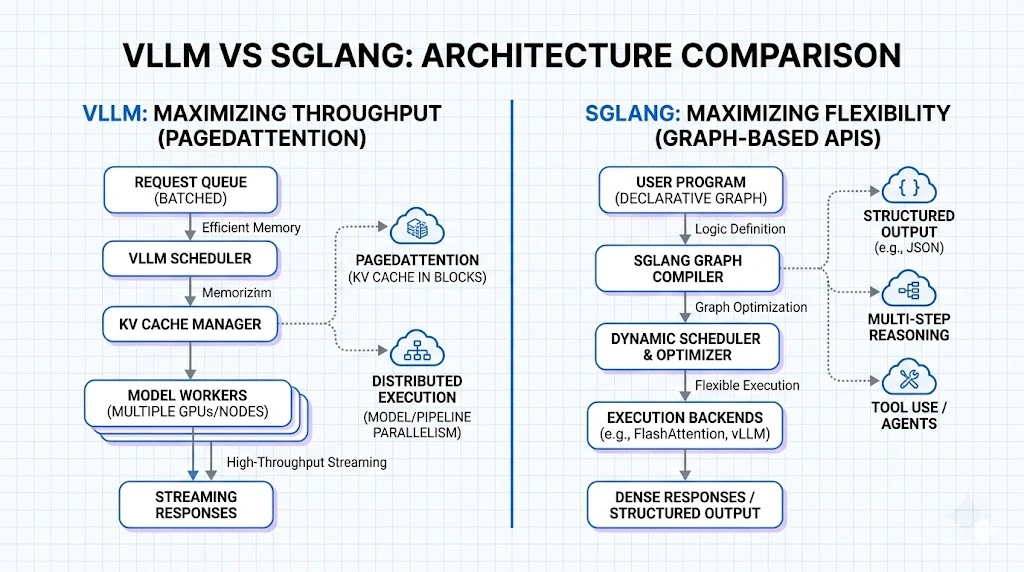
Compare vLLM and SGLang for enterprise AI deployment.